In this lesson, we will explain the header information in an email, how to access it, and what you can do with it. It is important to follow this section carefully as we will explain how to perform the header analysis in the next section.
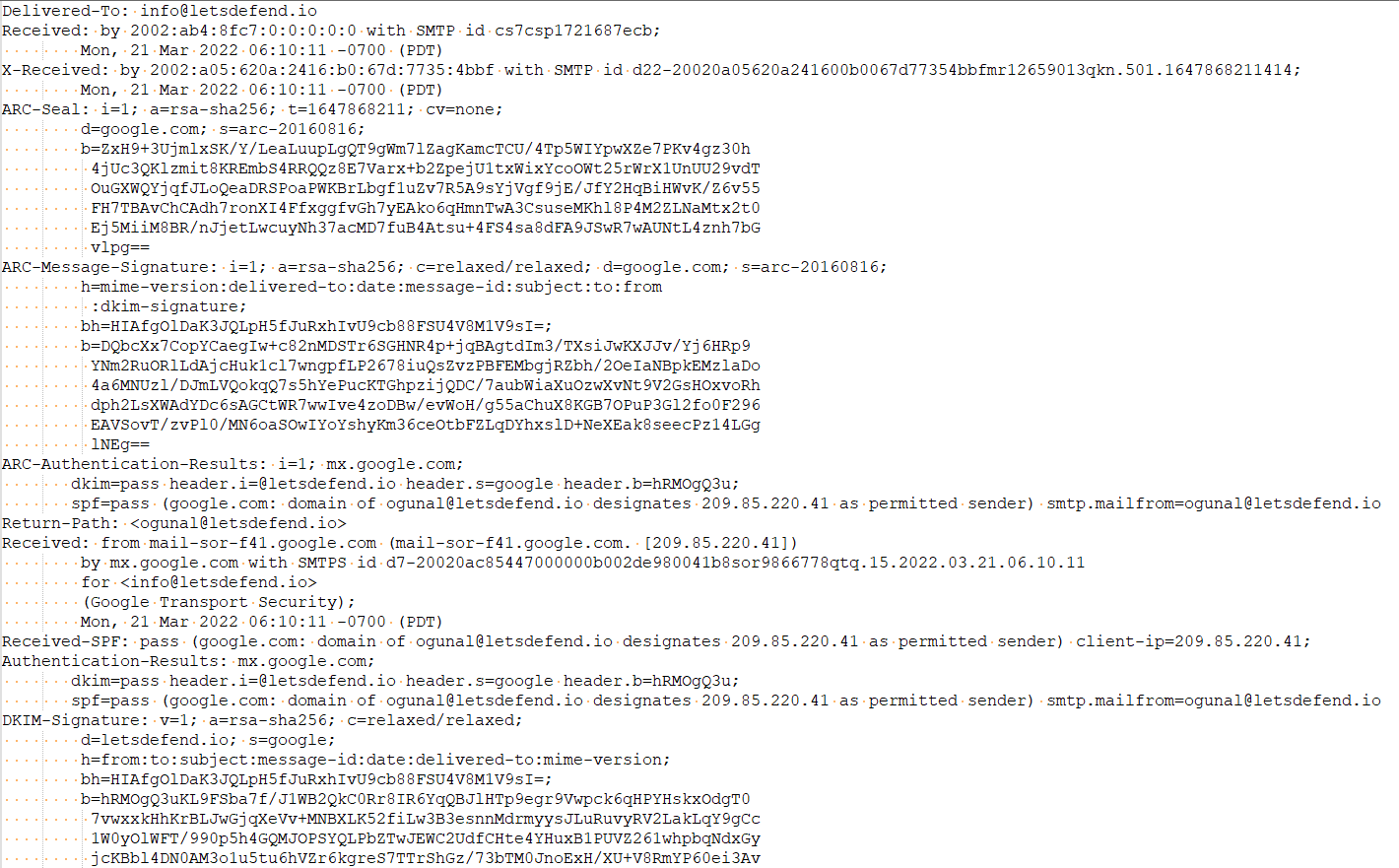
The header is a section of the email containing information such as sender, recipient, and date. There are also components such as 'Return-Path', 'Reply-To', and 'Received'. Below you can see the header details of an example email.
Allows you to identify the sender and recipient
Thanks to the "From" and "To" fields in the header, you can find out who is sending an email and who is receiving it. If we look at the email above, which you have downloaded in "eml" format, we can see that it was sent from "ogunal@letsdefend.io" to "info@letsdefend.io".

Spam Blocker
It is possible to detect spam emails using header analysis and various other methods. This prevents people from receiving SPAM emails.
Allows You to Track an Email's Route
It is important to check the route an email takes to see if it came from the correct address. If we look at the example email above, we can see that it came from the address "ogunal@letsdefend.io", but it is still not certain whether it came from the domain "letsdefend.io" or from another fake server that imitates the same name. We can use the header information to answer this question.
From
The 'From' field in an Internet header shows the name and email address of the sender.
To
This field in the mail header contains the details of the recipient of the email, including their name and email address. Such as CC (carbon copy) and BCC (blind carbon copy) also fall under this category, as they all contain details of your recipients.
To find out more about carbon copy and blind carbon copy, see How to use CC and BCC.
Date
This is the timestamp showing when the email was sent.