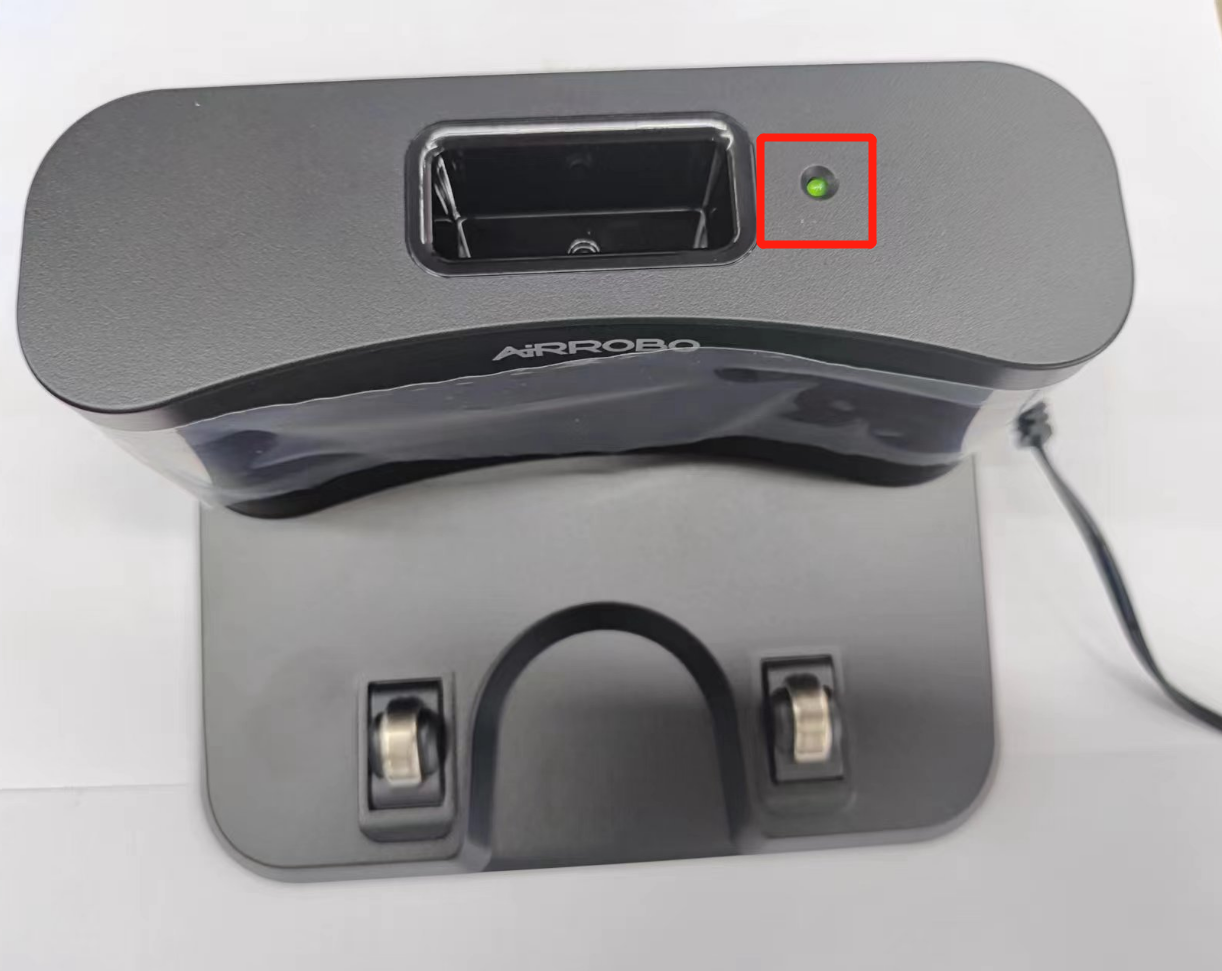
1.Check if the indicator light on the charging station is in a constantly lit state.
The indicator light is not on. Check if the adapter is properly connected to the charging station.
Test with a different power outlet (ensure the outlet is live. You can confirm this by charging a phone or another device).
If the above steps do not resolve the issue, please contact us to replace the adapter and charging station.
The charging station indicator is constantly lit, but the device still cannot be charged.
Check if the side brush is blocking the charging contacts of the device. If it is, remove the side brush.
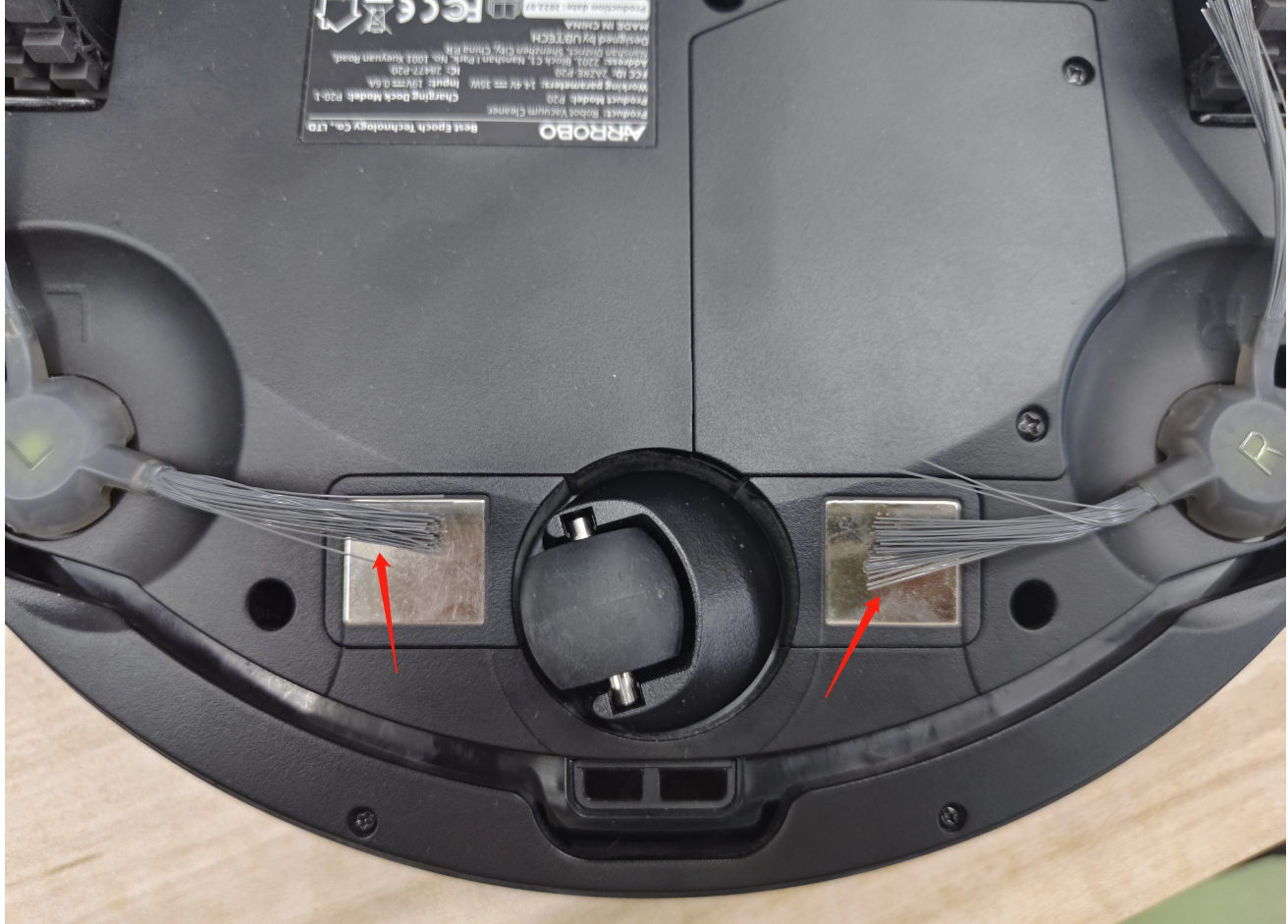
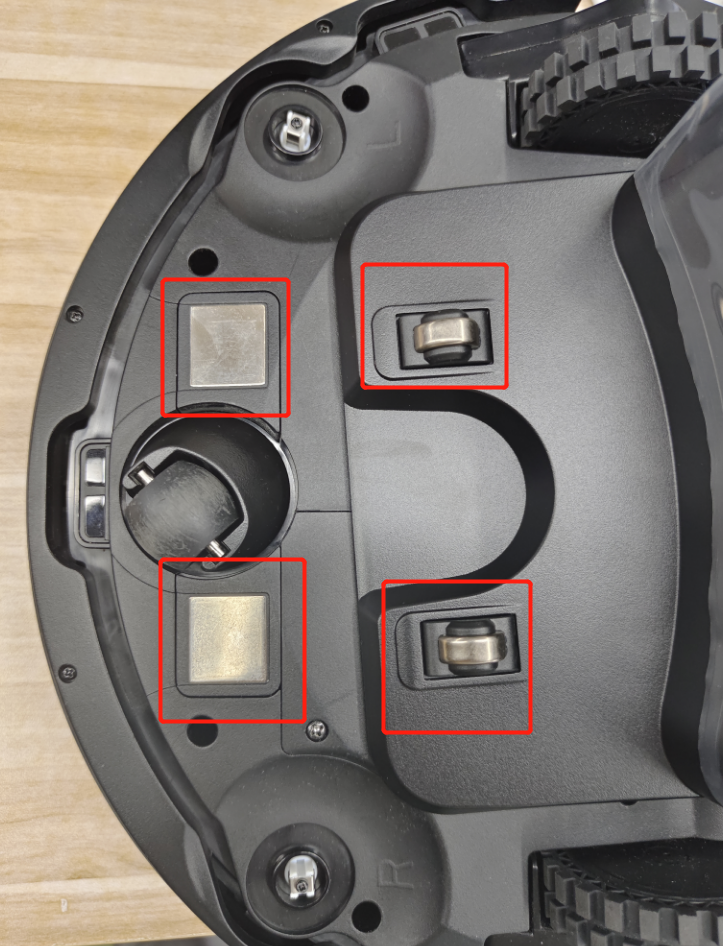
Check if the charging contacts of the device are properly aligned with the charging blades of the charging station.
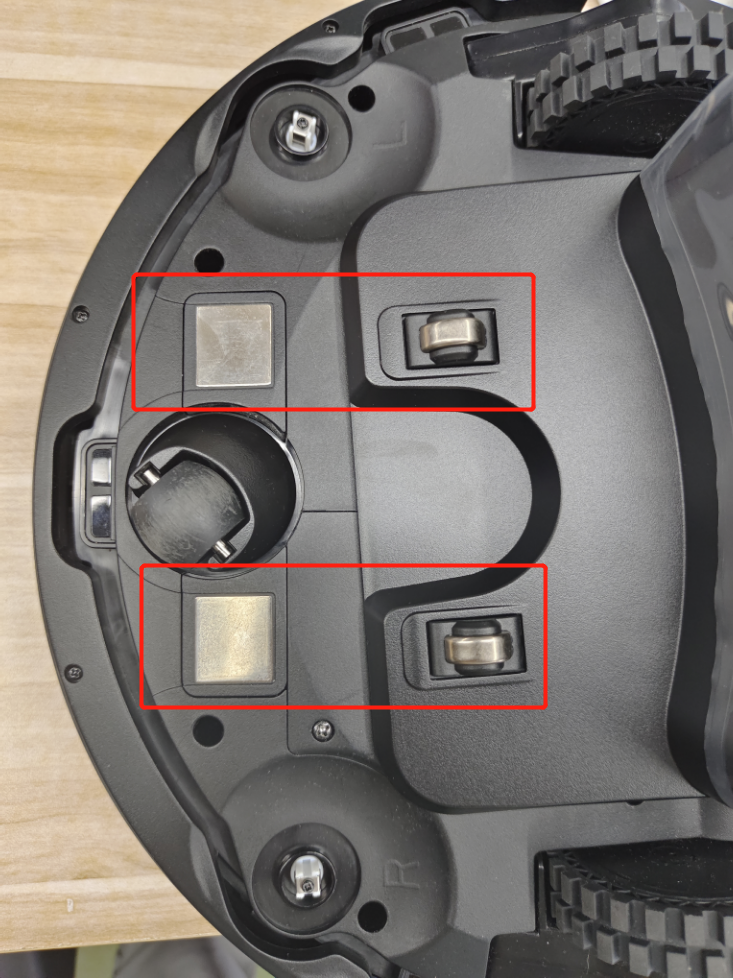
Clean the contact points of the device and the charging station with toothpaste and a toothbrush. After cleaning, wipe off any moisture.
If the above methods do not resolve the issue, please contact us.
Troubleshooting Steps: Check Firmware Version,Verify if the device runs the latest firmware. No update prompt → Firmware is current; no upgrade needed. Inspect Charging Dock Area Remove any obstructions (toys, cables, furniture) within 1 meter of the dock. Retry docking after clearance.
Cause: The dustbin’s magnets may have detached during cleaning, preventing the device from detecting the dustbin. Solutions: Check Magnets Take a photo of the dustbin’s magnet area (highlighted in the manual). If magnets are detached: Contact support for a replacement dustbin. Test Magnet Functionality Use a magnetic item (e.g., screwdriver) to verify magnetism. No magnetism →Contact support for a replacement dustbin. Magnetism present→ Contact support for device replacement.
