Inventory is the cost-management workspace for products and SKU variants. It controls product-level defaults, SKU overrides, dated Unit COG and FBS shipping periods, and FIFO inventory lots used in profit reporting.
The summary cards show configurable catalog, stock, cost, sales, and ROI totals. The table below is product-first: products are parent rows, and products with multiple variants can be expanded to show their SKUs.
Clicking a product or SKU opens its detail page. On Product Overview, Manage Unit COG follows the selected SKU tab. With All SKUs selected on a multi-SKU product, Dashboardly asks which SKU to manage instead of silently changing a product default.
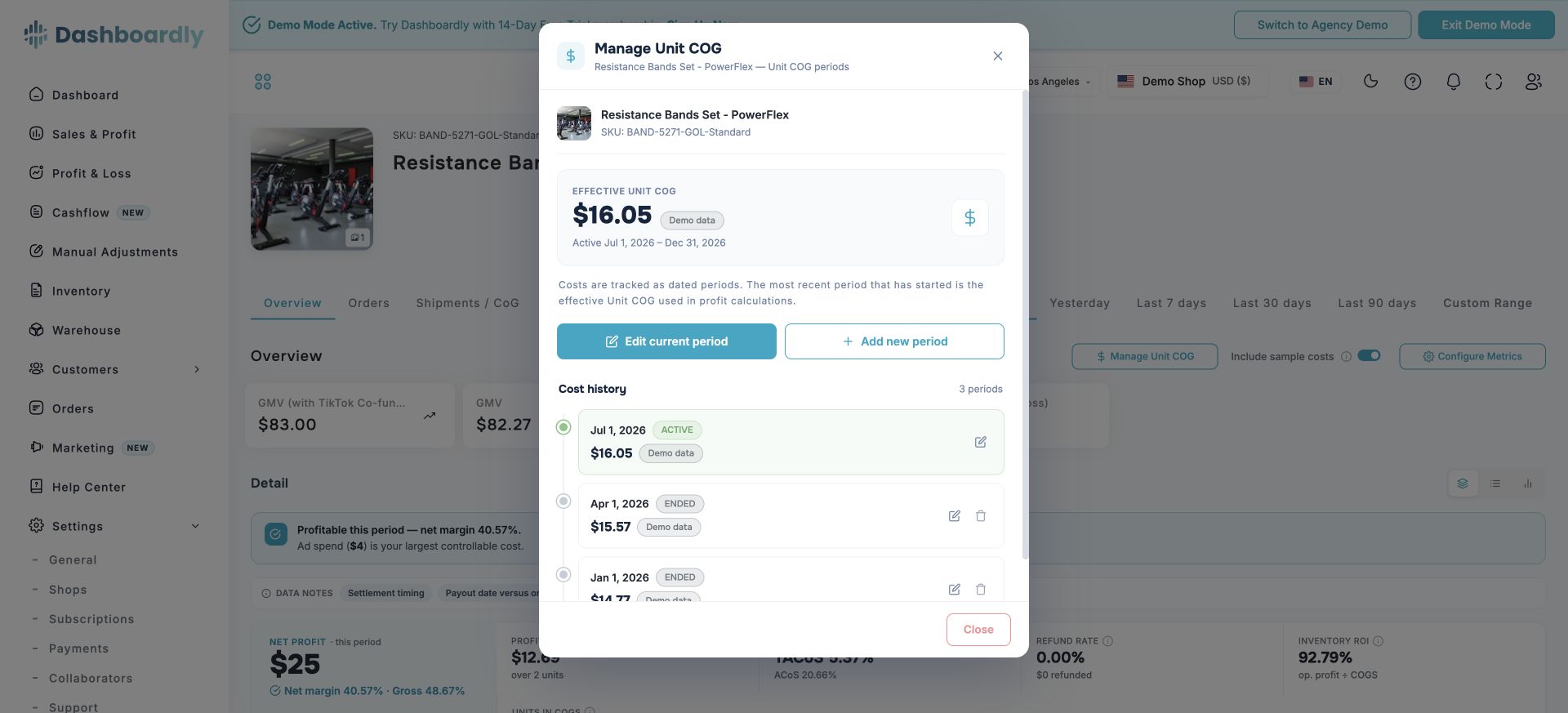
Manage dated Unit COG for a selected SKU
The direct cost of one sold unit. The cost manager shows the current effective value and every earlier or scheduled period. Each period begins on its Effective Date and remains active until the next period starts.
The dated outbound FBS cost used when TikTok does not provide an authoritative order shipping value. It is separate from Unit COG, TikTok fees, FBT fulfillment charges, and inbound FIFO freight.
Apply Unit COG, outbound FBS shipping, or both to several products with an immediate or custom Effective Date. A blank field means “leave this cost unchanged.”
Download a pre-filled spreadsheet and choose one of three template layouts: