Geolocation is critical for finding out where something happened. Knowing the location helps you figure out what's going on.
Large language models like ChatGPT seem to be the most unlikely candidate to assist you in geolocating:
Having said that, I still see ways how LLM #ai can assist, besides describing what you see and ask for more details. In this newsletter, I show you a complete workflow.
Mathis Lichtenberger, inspired by this tweet, came up with Chatpdf. You can upload PDF’s and ask questions about the document.
While investigating contracts containing location information, I needed to cross-check the places by using Google Streetview. Doing it manually was time-consuming, so I wondered if there was a faster way. I then uploaded a file, and the location information was accurately identified by the Chatpdf:
Greetings! This PDF file contains the campaign finance report for (redacted by me) during the Fall Pre-Election 2012 period. The report includes a summary of the committee's gross expenditures, contributions, and disbursements.
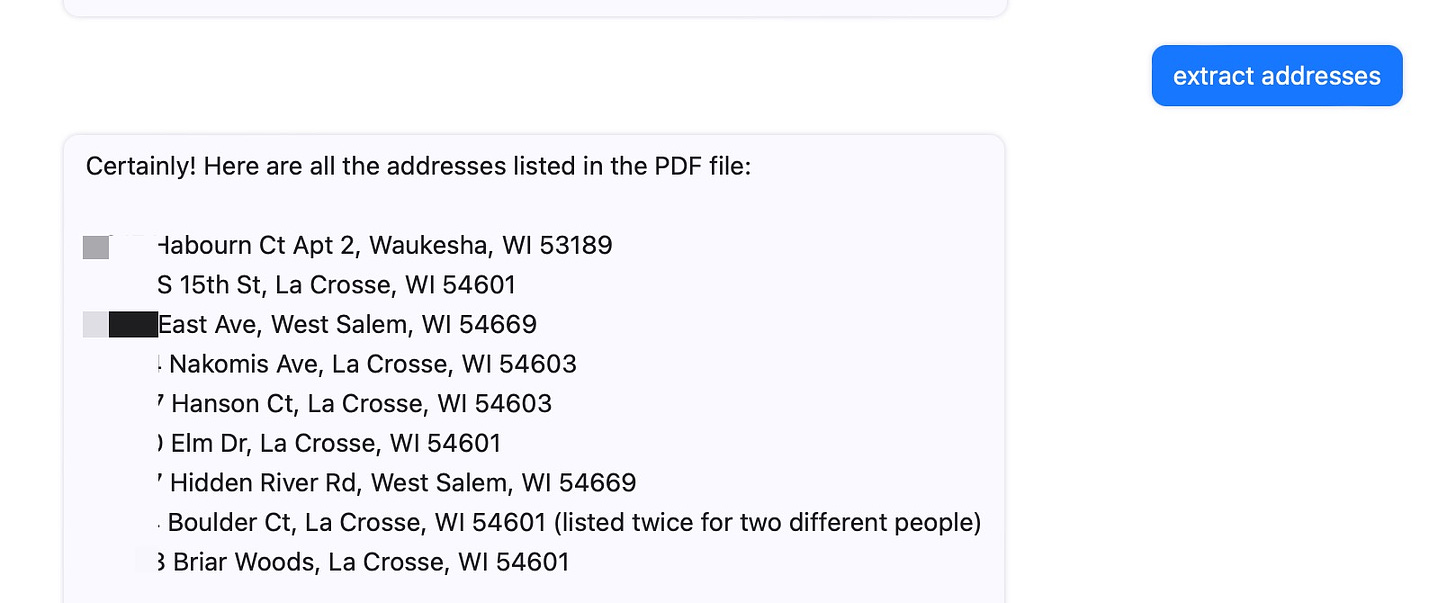
I asked the tool to extract all geolocations and it did that quickly.
Because Mathis is not using Chat-GPT, but Open AI, it was not possible to get the geographical coordinates right away, but it was already helpful I had a list of addresses. Mathis told me he is still in awe about the possibilities of #AI. “I wrote my master's thesis on natural language processing and am deeply impressed by the field. I think that AI progress will completely change the world in the next few years and I'm excited to be a part of the AI revolution.”
The next step was to write a script for ChatGPT that allowed me to quickly look up the addresses in Google Maps. It was just one sentence. This is what I gave ChatGPT (3.5) to work with:
show me geo coordinates of the following addresses, put them in a table and come up with a query to google maps for the locations