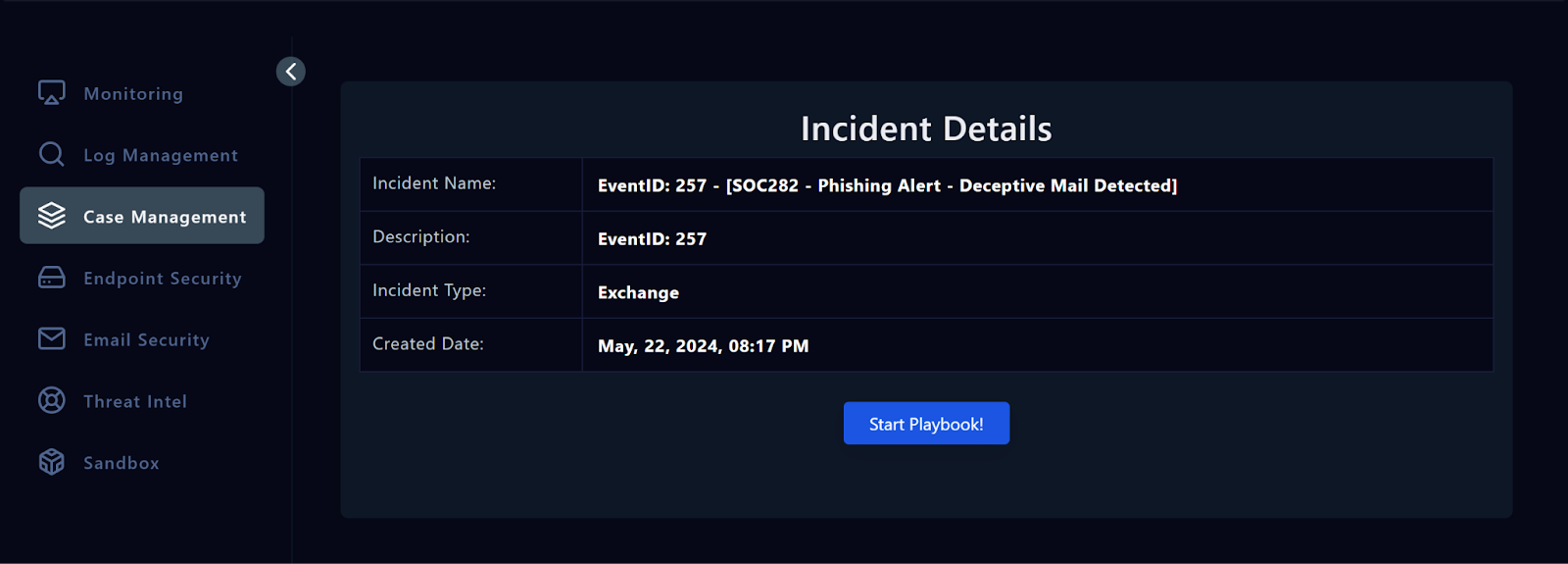
**In this section, we will learn how to create a case for an alert and initiate the playbook. Creating a case allows us to organize and track our investigation efforts, while the playbook guides us through the necessary steps to effectively respond to the security incident.
Take Ownership In this course, we will analyze the EventID: 257 - SOC282 - Phishing Alert - Deceptive Mail Detected . This is a phishing alert that requires an investigation to determine its legitimacy and potential impact. First, to assign the alert to yourself, click the button below.Take Ownership Creating a Case When an alert requires further investigation, the first step is to create a case. This involves documenting the details of the alert, assigning ownership, and initiating the playbook. You can see alerts assigned to you in the Investigation Channel.
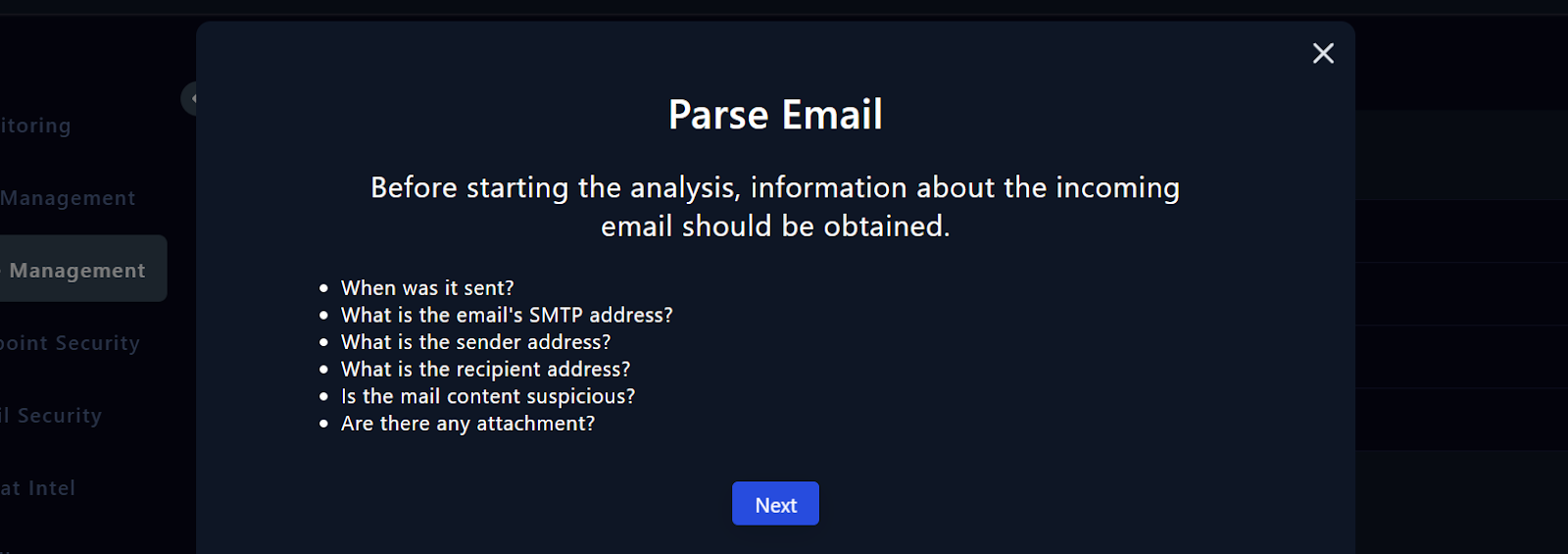
Start the Playbook Press the “Start Playbook” button. The first step of the playbook, 'Parse Email', instructs us to gather key details about the received email, including information such as sender, recipient, time, and any suspicious content or attachments. Keep the Playbook Tab Open • The playbook tab should be kept open on the side at all times. • Keep the playbook tab open, create a new tab, and go back to the Alert Investigations tab.
You can find answers to some of the questions on the Alert Details page. Please open a new text file and make a note of your findings. • Click on the Monitoring Page • Head to the Investigation Channel • Review the Alert Details. In this section, we started investigating by creating a case for an alert and starting the playbook. In the next section, Email Analysis, we will delve into email analysis to answer the remaining questions.**
Progress0%
Note: The following questions refer to the alert with “ EventID: 257 - SOC282 - Phishing Alert - Deceptive Mail Detected ”. Try to answer the questions by solving the alert and following the steps mentioned in the course.
If you have solved the alert with EventID:257 before, you can reinvestigate it by clicking the "Re-Investigate" button from closed alerts. Alternatively, you can answer the questions by watching the video below.
What is the “type” of the alert? Exchange
When was the alert generated?
What is the email's SMTP address?
What is the source address?