Alright…now we are starting to get into the weeds of 3D Fashion Design. We had the Start Here Guide to introduce people to the concepts. Next, we had our first Deep Dive Into the History of Technological Advancements of Fashion Design.
·
Nov 9
We just wrapped an entire series on product visualization that concluded with our Ultimate Guide Changing Careers Into Product Visualization!!
This week, we’re jumping into the tools themselves. If you’re a 3D artist entering fashion, here’s what you need to know about the software stack that drives the industry. Next week we will be talking about how these tools are used on a day-in, day-out basis. But for now…let’s dig into the tech.
Still the foundation. Even in the 3D era, Illustrator is where most garments start. It’s where designers define silhouettes, draw tech flats, and spec out measurements, colorways, and trims. If you’re a 3D designer entering fashion, you won’t necessarily be creating in Illustrator, but you will need to understand it. That’s where logos, print designs, and patterns are coming from
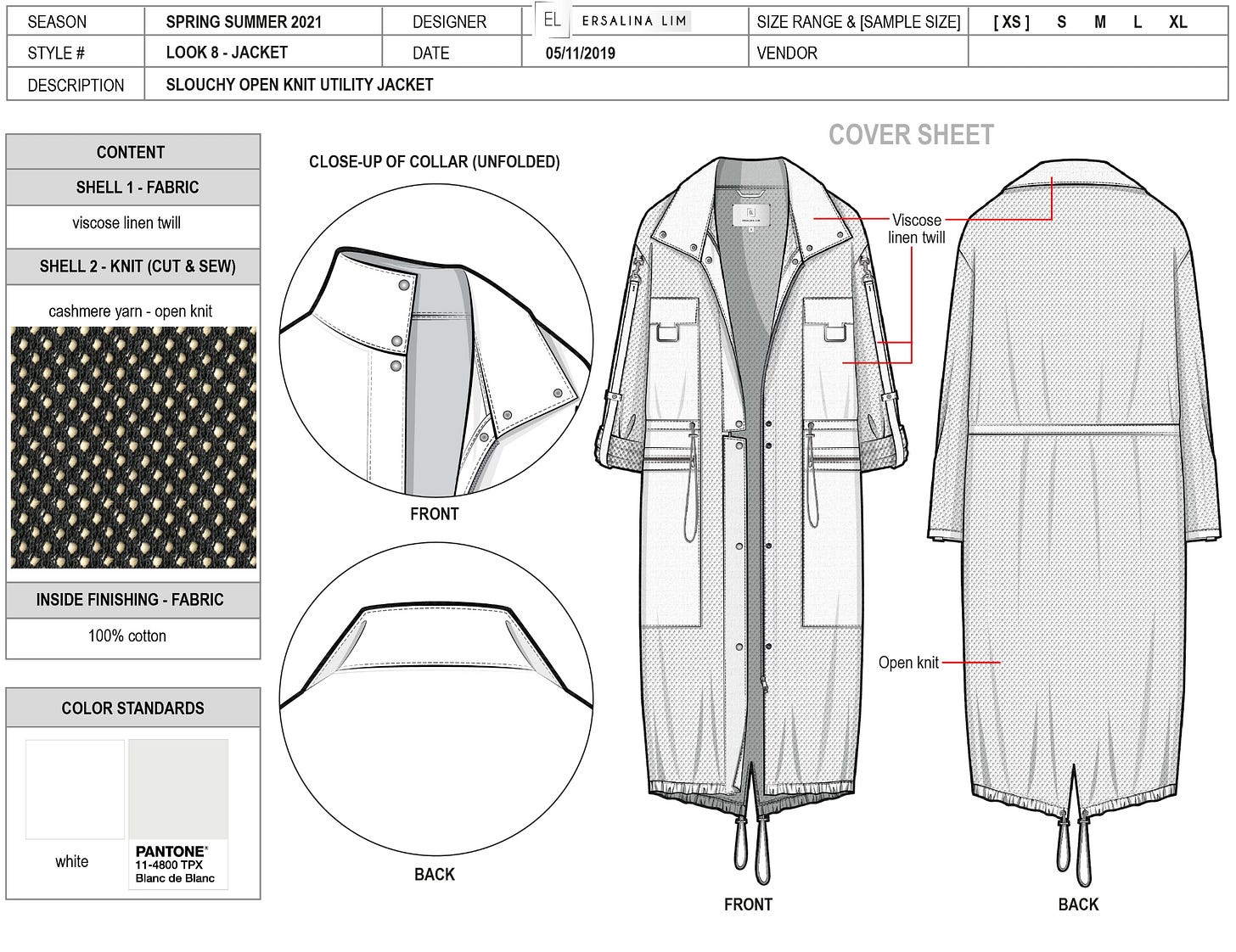
Design by Ersalina Lim
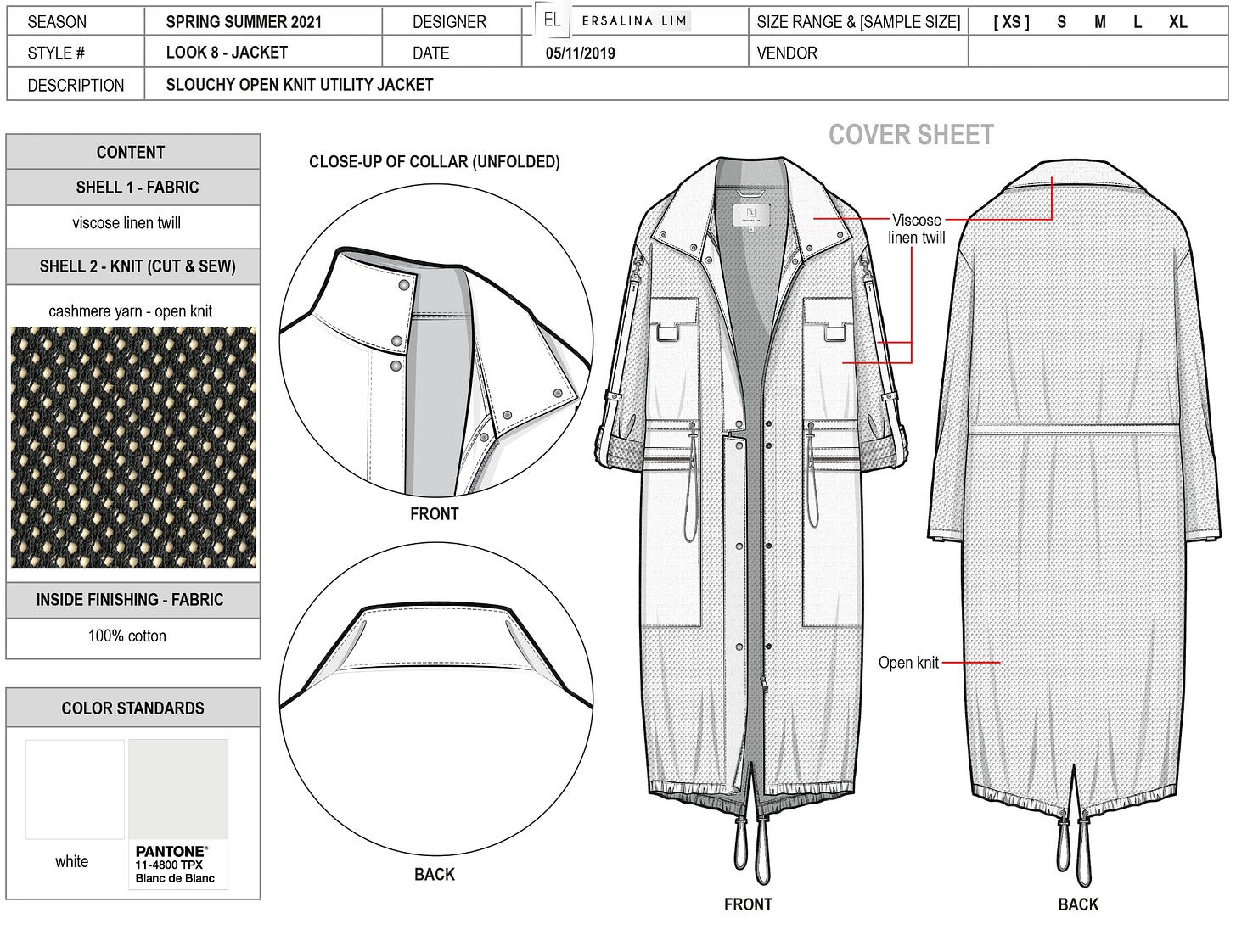
Illustrator also plays a key role in cross-team collaboration. Developers, tech designers, and even merchandisers often refer back to these files because they’re rich with intent and brand guidance. When you’re pulling assets into 3D, knowing how to interpret Illustrator files can make you a more seamless partner in the pipeline.
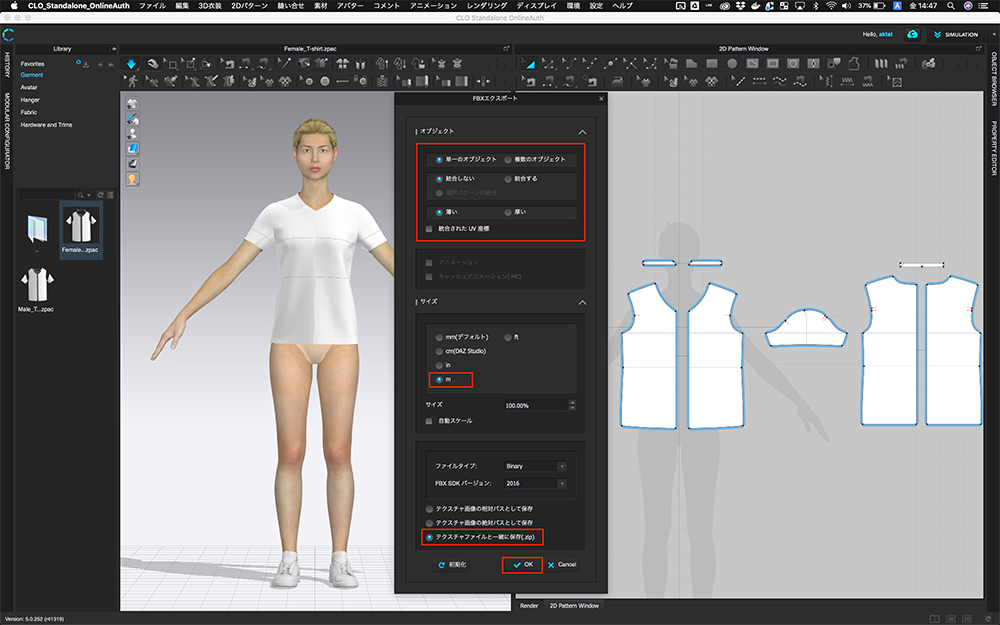
This is where 3D garment creation really happens. CLO lets you import 2D patterns, simulate fabric behavior, and stitch garments directly onto avatars. You can test drape, tweak fit, and create photoreal assets for design reviews. It’s made by the same company as Marvelous Designer, so if you’ve dabbled there, you’re halfway there.
![CLO/3D] How to Export a Model and Upload to STYLY | STYLY](https://substackcdn.com/image/fetch/$s_!LXUx!,w_1456,c_limit,f_auto,q_auto:good,fl_progressive:steep/https%3A%2F%2Fsubstack-post-media.s3.amazonaws.com%2Fpublic%2Fimages%2Fabe5e0c1-d2df-4bb5-ba0f-245288e4b66b_1000x625.png)