The CSV import and export tool in WooCommerce is a powerful feature designed to streamline the management of your online store’s product and customer data. This tool allows store owners to easily import large volumes of products in bulk, including their attributes, categories, and images, directly into WooCommerce using a CSV file. Additionally, it supports the export of product and customer data, enabling seamless data migration, backup, and analysis. With its user-friendly interface and flexibility, the CSV import and export tool simplifies the process of updating and maintaining your store’s inventory, ensuring efficient data handling and improved store operations.
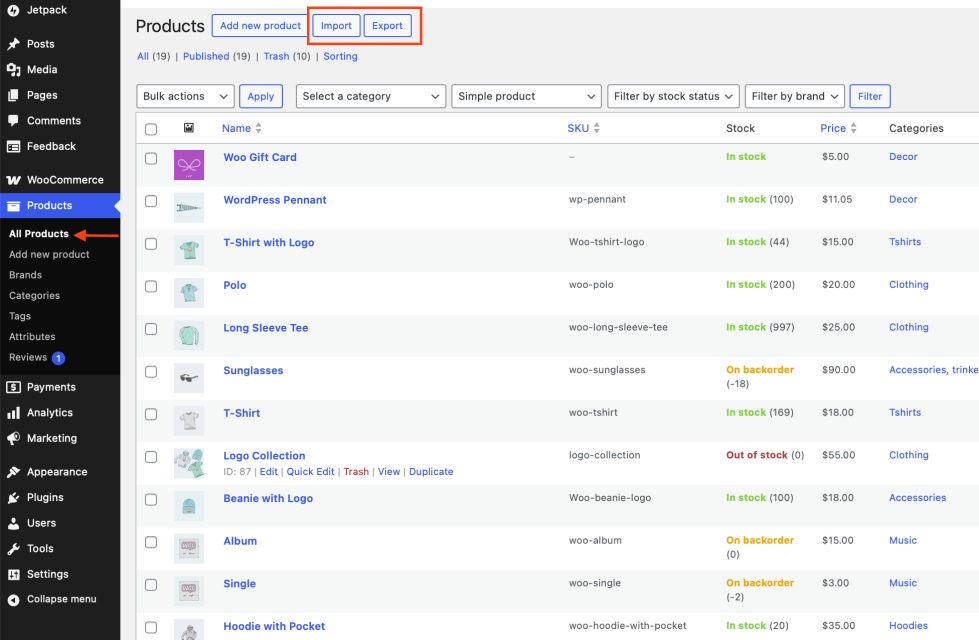
To get started importing or exporting products, head to Products > All Products. There you’ll see Import and Export buttons next to the “Add New” Product button.
Note:
If you are using our premium extension Product CSV Import Suite, refer to documentation at: Product CSV Import Suite.
We recommend using:
If possible, we recommend avoiding Microsoft Excel, as we’ve seen it have formatting and character encoding issues. But regardless of what tool you use, always ensure you export as a CSV file, following the guidelines below.
To import new products or update existing products, you need a CSV containing your product information. You can: